
Circular Crop Framing And Face Placement
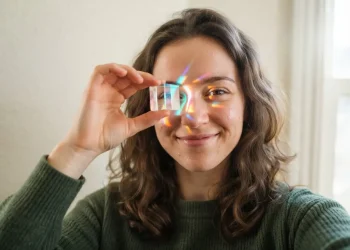
Facebook will crop your uploaded photo into a tight circle, so the best practice is to keep your face or your subject’s main features safely centered within an imaginary square. Your eyes and mouth should sit comfortably above the lower third of the frame, giving you a natural, breathing-room look that won’t get awkwardly clipped, which aligns with top Facebook profile picture suggestions. We all know the frustration of a great shot where half a smile disappears in that final crop, so take a second to check the preview. You want to leave enough clear space around the shoulders and head, avoiding tight framing that forces Facebook’s crop to chop off your chin or hairline. Trust me on this, a quick test upload to a private album or checking your phone’s photo editing grid before posting saves that perfect portrait from a bad crop.
Background Privacy Checks Before Uploading
A blurred background looks artistic, but an unintentionally revealing one can share your private mail, a home address, or your child’s school name with your entire network. The good news is, you can easily fix this by taking a literal step back and scanning the edges of your shot for any personal documents, identifiable car license plates, or house numbers before you snap the picture, as many Facebook profile picture suggestions warn about hidden details. I always recommend a quick zoom-in on your phone screen right after you take the shot to catch those sneaky details a casual glance misses. You will notice things like an open browser tab on your laptop or a prescription bottle on the counter that completely changes the safety of your image. A neutral backdrop or a softly out-of-focus garden wall keeps the visual hierarchy simple and protects your privacy without sacrificing style.
1. Natural Light Headshot for a Clear Profile Portrait

Ever wondered why those effortless, glowing photos you see always feel so trustworthy? A natural light headshot uses soft daylight to wrap around your face, creating a warm and authentic look. This technique is a fantastic starting point because it flatters your skin and creates a genuine connection, which is a core principle in Facebook profile picture suggestions. Trust me on this one.
Find an overcast day or open shade for beautifully diffused light. Face towards the main light source to eliminate harsh shadows on your face. For that extra sparkle, make sure you see a nice catchlight reflected in your eyes. The result is a clear, inviting photo that signals care and approachability.
If you are thinking about other professional settings, professional profile picture tips are essential to review before you shoot, just like Facebook profile picture suggestions. Your friends will absolutely love how warm and real your new portrait looks.
2. Smiling Candid Portrait With Warm, Friendly Energy

A genuine smile is the fastest way to look instantly approachable online. I love this method because it is about capturing a real moment, not holding a pose. Focus on having a friend take your photo while you chat, or turn to face a window for that perfect soft, natural light. This makes your expression reach your eyes.
Why does it work so well? Facebook profile picture suggestions highlight this friendly, candid energy to make you look trustworthy and engaging. Sound complicated? It really is not, just think of a happy memory right before the shutter clicks. Your audience will connect with the authenticity, and you will love how inviting your profile feels.
3. Outdoor Lifestyle Shot in a Favorite Open-Air Setting
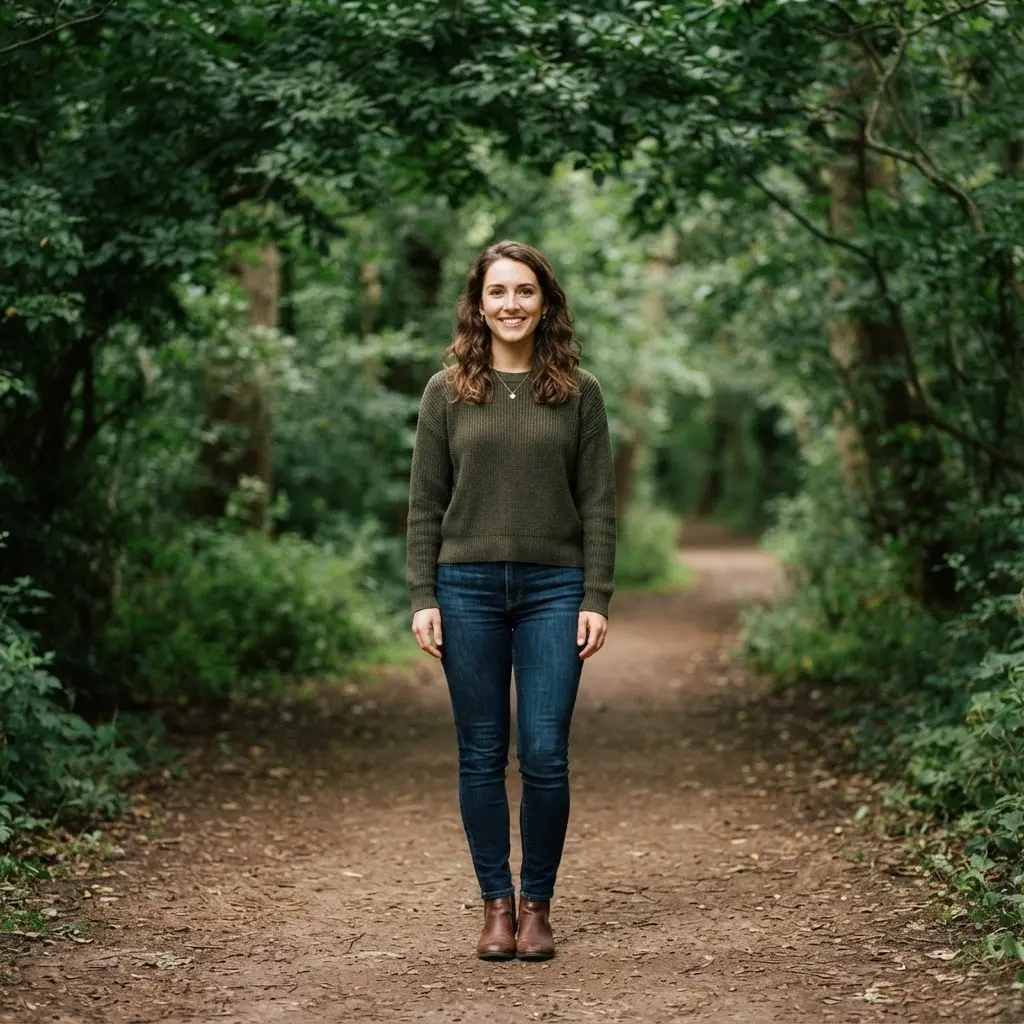
This is my absolute favorite type of profile picture because it just feels so real. You want to find a place you genuinely love, like your local park or a quiet beach spot, and simply be there. Capture yourself in motion or with a genuine expression, and as Facebook profile picture suggestions recommend, using the golden hour light for a soft, flattering glow. It works because it tells a story about who you are without saying a word.
Trust me on this one, your feed will light up with the authentic, engaging vibe this kind of photo creates.
4. Hobby Action Photo With a Clear Face Focus

Think of that perfect shot—you’re in the middle of your favorite activity, and your face, lit with genuine joy, is sharp and clear. It makes you feel alive and approachable all at once. The key is to capture that moment while you are moving. You want your face in sharp focus, so set your camera to continuous autofocus and use a fast shutter speed to freeze the action. Facebook profile picture suggestions emphasize this combination of passion and identity in one authentic image.
Trust me, the result is a profile picture that feels wonderfully real and starts great conversations.
5. Pet Companion Portrait With a Relaxed Natural Expression

Never try to force your pet into a cute pose—tense expressions look fake. Instead, the secret is waiting. Pick a time when they are naturally calm, like after a nap, and settle on the floor at their eye level. The window light behind you becomes your best tool for creating a soft, flattering glow, exactly as Facebook profile picture suggestions advise. Use a quiet sound just above the camera to catch a curious, relaxed glance.
I love how this captures their genuine personality, not just their appearance. The payoff is a photo that feels like a warm, quiet moment between friends.
6. Scenic Travel Photo With the Person Clearly Visible

Find your spot in the landscape, then step a few feet back. Your goal is to frame yourself as an integrated part of the scene, not an afterthought. I love using the rule of thirds grid on my phone’s camera to place my face at an intersection point. Facebook profile picture suggestions confirm this keeps me visible and engaged with the environment. This keeps me visible.
Remember to set a mid‑range aperture for that travel picture look where both you and the background stay sharp. Sound tricky? Trust me, it is the simplest way to tell a compelling story with a single image. Your friends will feel like they are right there with you.
7. Cozy Indoor Portrait With Soft Window Light

Ever notice how those lovely portraits often look like they are glowing from within? Position yourself just off to the side of a window, using sheer curtains to soften any harsh sunlight. I love how this natural light creates a gentle, flattering halo effect that smooths skin and adds beautiful catchlights to your eyes, a technique highlighted in Facebook profile picture suggestions. It works because that diffused glow is universally flattering and feels incredibly personal. Feel the warmth and authenticity this simple technique brings to your photo.
8. Creative Artistic Pose With a Simple Visual Focus

This pose transforms your photo into a bold artistic statement. You become the visual focus by using a plain, uncluttered background. Your pose itself creates the drama with interesting lines or shapes, while dramatic light sculpts your form. Facebook profile picture suggestions often highlight how this makes a memorable impression, even at small thumbnail sizes. The frame crops tight, eliminating everything but your gesture.
I love how this makes a memorable impression, even at small thumbnail sizes. It feels sophisticated and confident. Try it and see your profile picture become a piece of art.
9. Minimalist Background Shot for a Clean Profile Look

I love this approach because it feels so crisp and modern. You simply pose against a solid color background like a softly lit grey wall or a barely sage green surface. Keep the focus sharp on your face and let the simple backdrop create all that clean, professional negative space, a layout praised in most Facebook profile picture suggestions. It is effective because it instantly makes you the sole subject of attention.
Trust me, your profile photo will look polished and intentional.
10. Close-Up Facial Expression With Bright, Natural Detail

Picture the end result first: a friendly face where every little detail, from a genuine crinkle around the eyes to the soft texture of the skin, feels inviting and warm. To get this look, find yourself a large window or an overcast spot outside—that natural light is your best friend. Position your camera so you can see a tiny sparkle, called a catchlight, in each eye, and make sure your lens focuses right on them, following standard Facebook profile picture suggestions for sharp portraits. This isn’t about a stiff pose. Have someone make you laugh or think of a happy memory to capture a real, bright expression instead of a forced smile.
This approach works so well because it feels authentic and approachable, which is perfect for connecting with people online. Trust me on this one. Pro tip: use your arm, not just your wrist, to hold the camera steady for those tack-sharp details. Feel how much more personable your profile instantly becomes.
11. Dynamic Action Pose With the Face in Focus

The biggest mistake in action shots is a blurry face, but trust me, you can have both energy and clarity. Use a fast shutter speed to freeze your jump or spin, while keeping your eyes locked on the camera lens. I love setting my camera to a wide aperture and using continuous autofocus just for this. Facebook profile picture suggestions praise this method because that sharp, expressive face pulls viewers right in, making your profile feel vibrant and personal.
Try it and feel the instant boost in your feed’s energy.
12. Nature Inspired Portrait Among Greenery and Soft Light

Head outdoors during the golden hour for that magical soft light. Position yourself slightly back from some leaves or vines so they frame you naturally in the foreground. The trick is using a wide aperture, like f/2.8, to keep you sharp while the greenery turns into a soft, dreamy blur, which matches the visual depth in Facebook profile picture suggestions. I love how this creates instant depth and harmony, making you look like part of the scenery.
A simple tip? Wear colors like cream or sage that complement the green, not clash with it. You will feel so serene and authentic in the final shot.
13. Urban Environment Photo With Recognizable Personal Style

Have you ever seen a profile picture where someone just looks perfectly at home in the city? It is more than just a location. First, pick a spot that feels like you, maybe a cool mural or a quiet side street. Wear an outfit that shows your personal style and let yourself relax in the space instead of posing. I love using the golden hour light for a warm glow that makes everything feel cohesive, just as Facebook profile picture suggestions advise for consistent styling.
The result feels authentic because the environment tells part of your story, making your picture memorable and true to you. You will feel confident knowing your photo is genuinely you.
14. Professional Studio Headshot With Balanced Portrait Lighting

A professionally lit studio headshot makes your face look clear, bright, and immediately trustworthy. The photographer sets up a key light and fill light in a balanced ratio like 2:1, which softens shadows under the chin and lights your eyes evenly. A light meter helps get this perfect, a setup detail found in advanced Facebook profile picture suggestions. I love how this approach leaves no guesswork, giving you that polished, magazine-ready look.
You will feel confident knowing your photo communicates competence at a glance.
15. Casual Everyday Look With a Comfortable Personal Feel

You know that perfect feeling of being comfy but still looking put-together? That is the magic of this look. Start with a soft, oversized t-shirt and pair it with your favorite relaxed-fit jeans. Facebook profile picture suggestions note that I love how this approach lets your personality shine without any fuss. You feel relaxed, which shows in a genuine, friendly smile that is perfect for your profile picture.
Your best casual picture often comes from wearing what truly feels like you. Choose fabrics that breathe and pieces that move with you, not against you. Sound like it would not photograph well? A simple layer like an open denim jacket adds just enough structure. You will love how approachable and real you look.
16. Warm Golden Hour Light for a Soft Portrait Glow

I love that magical moment right before sunset when everything glows with a soft, warm light. The flattering, diffused glow it gives your face makes any profile photo look instantly polished. Your goal is to position your subject with the sun at their back for a beautiful rim light or have them face it for an even, warm wash. Trust me, set your camera’s white balance to cloudy to preserve those gorgeous golden tones instead of letting auto mode wash them out. Facebook profile picture suggestions confirm this works so well because it reduces harsh shadows and imperfections, giving you a naturally beautiful look.
Try it for your next portrait and feel how the soft light makes everything look effortlessly professional.
17. Black and White Portrait With Strong Facial Contrast

A common mistake is just cranking up the contrast slider and losing all the subtlety in your expression. The goal here is to use Rembrandt or split lighting to sculpt your face with shadow. You are aiming for a small, distinct triangle of light on your cheek or a clean divide between light and dark. Facebook profile picture suggestions show that this eliminates color to make your gaze and structure the only focus.
I love how this makes a memorable impression, even at small thumbnail sizes. It feels professional and timeless, doesn’t it? Your tip is to shoot in RAW and pay special attention to your eye detail during editing, so they remain the compelling center of the shot. Try it and feel the dramatic confidence it brings.
18. Playful Character Pose With Expressive Personal Style

Grab your phone and lean into a mischievous grin or a quick >:) expression. This works because you are building the whole photo around a single, powerful emotion. Facebook profile picture suggestions highlight how a little smirk can say so much more than a regular smile. I love how a little smirk can say so much more than a regular smile.
Pair that expressive face with an outfit that feels uniquely you, like your favorite vintage graphic tee or a standout accessory. Your character is half your face and half your style. It is a fun way to show off your personality and connect with people who get your vibe. Sound complicated? It really is not. Try it and feel the creative buzz.
19. Simple Gradient Background for a Polished Portrait

Ready to give your portrait a studio-quality upgrade? This trick involves replacing a plain or messy background with a soft gradient, like a gentle color fade from light to dark. I love using a radial gradient with the bright center right behind the face to add instant depth and focus. Facebook profile picture suggestions prove you will be amazed how this subtle backdrop makes you look so polished and professional. Start by using a background removal tool to cleanly isolate yourself. Then, pick colors from your own photo—like a tone from your shirt or your skin—for a harmonious look. The magic is in the subtlety; a soft, low-contrast transition keeps the attention exactly where it belongs, on you.
Feel that confident glow!
20. Friend Group Shot With One Clear Featured Face

This technique makes your profile feel both warm and focused. You want your friends in the shot, but you need to be the clear subject everyone sees first. The trick is to get your friends to look at you while you look at the camera, and have the photographer use a wide aperture to keep you sharply in focus. Facebook profile picture suggestions appreciate how this creates a natural spotlight effect without it feeling staged. I love how this creates a natural spotlight effect without it feeling staged.
It works so well because it tells a story about your connections while still putting you front and center. You get the social proof of a group with the personal impact of a portrait.
Coordinated Cover Photo Color Treatment
Your profile picture and cover photo sit side-by-side, so a jarring clash in lighting or color temperature makes your page look disconnected and hastily thrown together. You can create a seamless, polished look by editing both images with the same basic adjustments, pulling the warmth or coolness to a similar level so they feel like they belong. For instance, if your portrait uses soft golden hour light, avoid a cover photo edited with a stark, cool blue filter right beside it. The fastest fix is to use your phone’s native photo editor to match the white balance between the two shots before you upload either one. Applying a consistent subtle color grade across both images ties your whole profile together visually, a principle echoed in every guide on Facebook profile picture suggestions. The fastest fix is to use your phone’s native photo editor to match the white balance between the two shots before you upload either one.
Conclusion
So how did your photo search feel after seeing so many personal options? A strong profile picture often comes from a familiar moment rather than a perfect pose, as Facebook profile picture suggestions always remind us. Your smile, favorite hobby, pet, or travel memory gives the picture meaning before anyone reads a caption. Profile picture suggestions work best when they match who you are now, so choose a recent photo with clear light and a face people recognize. Before posting, check the crop at a small size and remove distracting objects near your head or shoulders. I would also ask one trusted friend which image feels most like you. Their honest reaction often helps when several choices look good. Pick the photo that feels comfortable, current, and easy to recognize, then use it with confidence. Your next favorite portrait could be waiting in a simple everyday moment, so take a fresh look through your photos today, especially when reviewing new Facebook profile picture suggestions.
FAQs
Q: What makes a strong profile picture?
A: Choose a recent image with clear lighting, a visible face, and a calm background. Facebook profile picture suggestions note a natural expression often feels more welcoming than a stiff pose.
Q: Should my profile picture show my full body?
A: A head-and-shoulders or upper-body crop keeps your face easy to recognize. Full-body images work best when the person stays large within the frame.
Q: Is natural light better for a portrait?
A: Soft window light or open shade gives the face an even appearance, a standard tip across Facebook profile picture suggestions. Avoid harsh overhead light, deep shadows, and bright sunlight directly behind you.
Q: How often should I change my profile picture?
A: Update it when your appearance, hairstyle, or personal style changes. A recent image helps friends and family recognize you with ease.
Q: How do I choose between a solo photo and a group photo?
A: Select a group image only when your face stands out clearly. Facebook profile picture suggestions agree that solo portraits give faster recognition and keep the focus on you.